
February 16, 2026
Gemini
Key Takeaways
Sales and marketing kits drive successful product launches by giving teams physical tools, clear messaging, and ready-to-use materials that reduce friction and speed selling efforts.
- Replace scattered digital files with one consistent, hands-on package
- Capture attention, signal priority, and improve information retention
- Organize materials logically so reps can present confidently and fast
- Use professional kitting to ship durable, sales-ready kits at scale
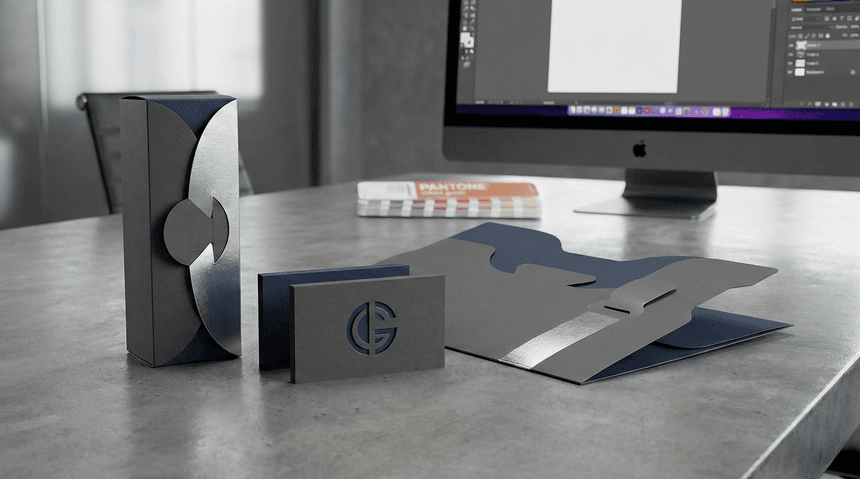
Standard formats blend in. When you stack a dozen brochures or mailers, the rectangular edges align perfectly, creating a single, indistinguishable block of paper. That uniformity helps with shipping, but it can kill marketing performance. You need to break the visual pattern to stop the sort.
Custom die-cut printing offers that disruption. It transforms a flat piece of stock into a tactile object that demands interaction. But the value here extends past the initial visual impact.
Die-cutting solves specific mechanical problems: it can create locking tabs on a presentation folder, windows that reveal variable data on an insert, or structural integrity for packaging complex kits.
This article examines the practical side of die cutting. We’ll look at where it improves function, how to design for the die line without breaking the budget, and which production methods maximize your ROI.
Common Types of Die-Cut Formats and Applications
Die-cut shapes dictate how a user interacts with the print product and how well it holds together. When you look for custom die-cut printing services, you’re often looking for engineering as much as printing. Here are the most practical applications where the cut defines the product’s success:
1. Structural inserts and multi-part kits
If you send out custom sales kits or product samplers, standard box fillers can look too simple. Custom inserts elevate the unboxing experience. A die-cut platform secures each item (e.g., USB drives, cosmetic jars, or membership cards), preventing movement during transit.
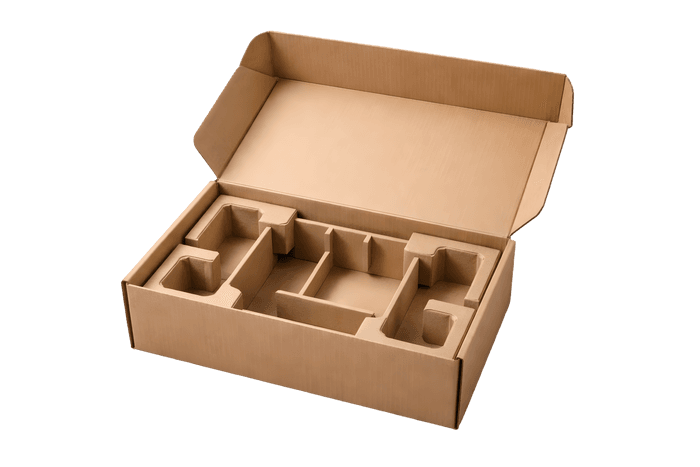
For short-run prototypes or limited-edition kits, digital laser die cutting is the superior choice. It traces the vector line directly onto the stock, allowing you to test intricate holding structures without investing in steel tooling.
2. Pocketed folders and presentation materials
While standard folders rely on adhesive (glue) to hold pockets in place, die-cut, "interlocking" folders use structural design or physical principles like friction, tension, and tab-locking to stay assembled.
Interlocking tabs allow the folder to be shipped flat and assembled on-site, which saves massive amounts of storage space. You can integrate business card slits, half-moon cuts for brochures, or windows that reveal the customized title page of the document inside.
3. Display components
Retail environments are crowded. Shelf talkers and wobblers use die-cutting to physically project from the shelf edge, intruding on the shopper’s line of sight. The shape balances the center of gravity, ensuring the piece hangs correctly without drooping. Point-of-Sale (POS) displays such as countertops also rely on precise scoring and cutting to fold from a flat sheet into a rigid, self-standing structure.
4. Functional marketing collateral
Some marketing pieces only function because of their shape. Door hangers require a specific die-cut hook to fit standard handles, bottle neckers need precise sizing to sit flush on a product, and clothing hang tags need drilled holes for attachment.
Best Die-Cut Designs for High-Impact Print
Great design uses the substrate itself as a graphic element. Instead of treating the paper as a passive canvas, use the die line to tell the story. Here are creative strategies to make your die-cut designs work harder.
Mimic real-world objects
Don't just print an image of your product; shape the print to match it. This technique is especially powerful when shaping die-cut business cards. A landscape architect might use a leaf-shaped card, or a real estate agent might use a die-line that traces a roof pitch. This creates immediate cognitive recognition, where the recipient knows what you do before they even read your name.
Disrupt the visual pattern
The human eye is trained to ignore standard rectangles. To grab attention, you need to break that grid. In direct mail, using circular or octagonal die-cut postcards ensures your piece physically sticks out from a stack of envelopes. The goal is visual friction; you want your piece to be the "odd one out" that forces the recipient to pause and investigate.
Leverage negative space
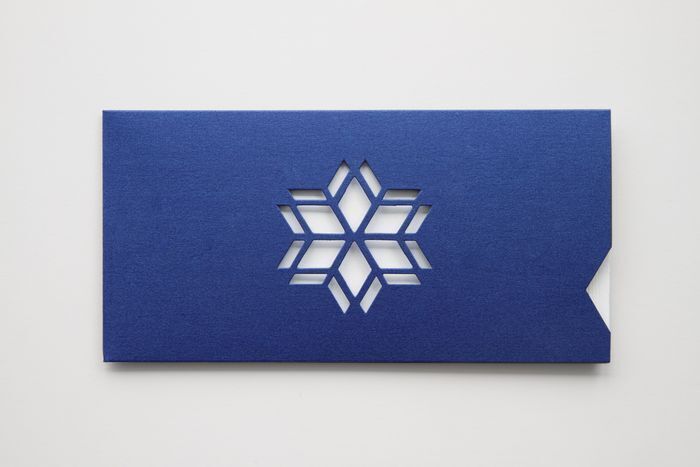
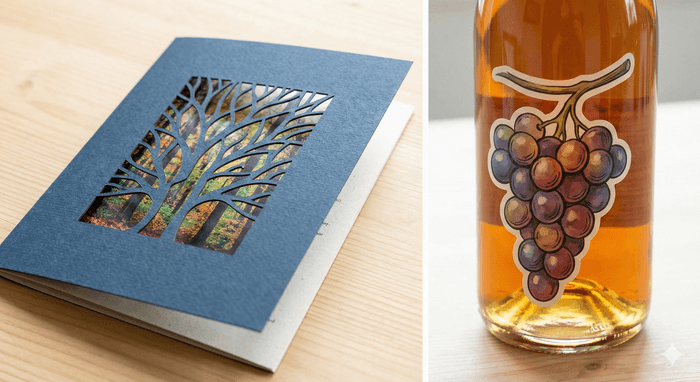
Using internal cutouts or "windows" adds a layer of interactivity. You can cut a window in a brochure cover to reveal a specific image underneath, or laser-cut your logo out of a card to create a stencil effect. This adds a tactile dimension that standard ink cannot achieve.
Contour to the surface
For product labels and packaging, the "square sticker" often looks like an afterthought. A better design approach is to contour the edge. Custom die-cut sticker shapes should follow the typography or the physical curves of the bottle/box.
This "no-label look" suggests higher quality and intentionality. If you’re producing handouts, use kiss-cut sheets for die-cut sticker printing, which allow you to maintain a tidy rectangular handout while giving the user a complex, fun shape to peel and stick.
Gemini
4 Cost-Effective Solutions for Die-Cutting
Custom shapes often trigger budget alarms. The perception is that deviating from a standard rectangle requires expensive manufacturing, but that is only true if you pick the wrong production method for your quantity. Smart production planning keeps the impact high and the cost manageable.
1. The tooling equation (physical vs. digital)
The biggest upfront cost in traditional die-cutting is the "die" itself, which is a custom-fabricated wood and steel tool used to punch the shape. If you’re printing 50,000 pieces, the cost of that die is negligible per unit. If you’re printing 50, standard tooling destroys your budget.
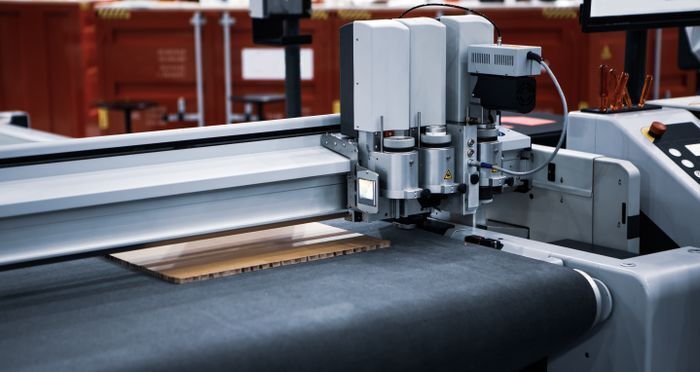
Digital Laser Die-Cutting
For short runs, prototypes, or complex intricate patterns, choose digital laser die-cutting. This method eliminates the need for physical tooling entirely. A laser traces your vector file directly onto the stock. You pay for machine time, not metal molds, making it the ideal solution for targeted campaigns or A/B testing different shapes.
2. Production speed (rotary vs. flatbed)
When moving to higher volumes, understanding the difference between rotary and flatbed die- cutting is crucial.
- Flatbed: The sheet is stationary while the die stamps down. It’s slower but offers incredible precision for thicker materials, like rigid box packaging or heavy cardstock displays.
- Rotary: The die is a cylinder that rolls over the web of paper moving at high speed. This is built for volume. If you need a hundred thousand labels, rotary cutting is significantly faster and cheaper per unit.
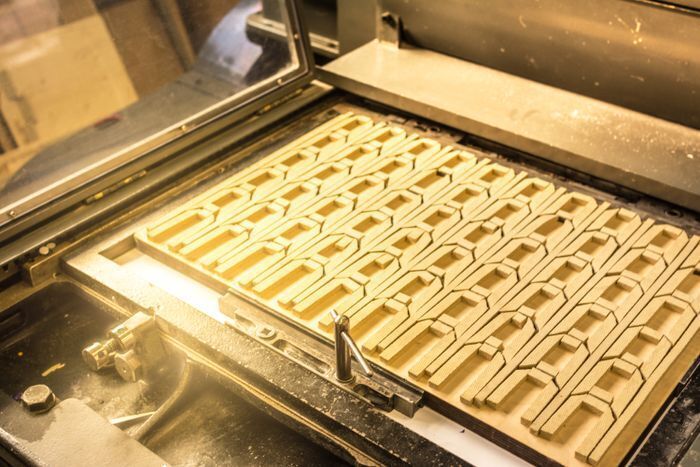
Rotary Die-Cut Printing
3. Layout and nesting efficiency
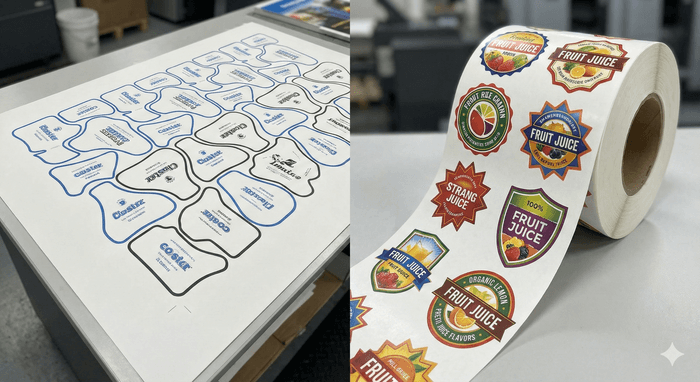
You pay for the paper you waste. A poorly designed shape leaves large gaps of unused white space on the press sheet. Optimize your cost by "nesting" the design, which is fitting the shapes together like puzzle pieces to maximize the number of items per sheet. In some cases, you can use a "common knife" line where one cut separates two pieces, reducing the total distance the blade (or laser) needs to travel.
4. Label optimization
If you’re printing custom die-cut labels, look for roll-fed digital options. Modern digital presses can print and laser-cut labels in a single pass without requiring new plates or dies for every shape change. This allows you to print multiple variations (SKUs) of a product label in one run without incurring setup fees for each unique shape.
Gemini
Shape Your Strategy
The difference between a discarded flyer and a keeper often comes down to the edge. Die-cutting transforms print from a passive visual medium into a tactile, functional object. Engineering a complex multi-part kit or simply giving a business card a unique silhouette? The shape of that paper is just as critical as the ink on it.
To get the most ROI from these formats, treat the die line as a blueprint rather than a decoration. Focus on the mechanics of the piece: how it holds the product, how it sits on a shelf, and how it survives the mail stream. When you balance structural integrity with smart layout efficiency, die-cutting services become a powerful tool for differentiation.
If you need a partner who understands the engineering behind the print, Intermedia Print Solutions delivers. From digital laser cutting for rapid prototypes to high-volume production for complex kits, our custom print services ensure your structural designs are built for the real world.
Ready to shape your next campaign? Request a quote or place an order today. Let’s build something that stands out.
Custom Die-Cut Printing FAQs
What is custom die-cut printing?
Custom die-cut printing uses specialized cutting tools or lasers to create unique shapes, windows, and structural features in printed materials. It’s commonly used for folders, packaging inserts, labels, and displays to improve function, presentation, and user interaction, which goes beyond standard rectangular formats.
When should I use digital vs traditional die cutting?
Use digital laser die cutting for short runs, prototypes, or complex designs because it avoids tooling costs. Traditional steel-rule dies make more sense for large volumes, where the upfront die cost spreads across thousands of pieces and lowers the per-unit price.
How does die-cut printing improve marketing performance?
Die-cut printing breaks visual patterns, adds tactile interest, and guides how people interact with your piece. Custom shapes help direct attention, reveal content through windows, and support structural elements. These make brochures, mailers, and displays more memorable than flat, standard formats.
Is custom die-cut printing expensive?
Not necessarily. Costs depend on quantity, design efficiency, and production method. Smart nesting reduces paper waste, digital cutting avoids tooling for small runs, and rotary die cutting lowers unit costs for large volumes. Working with custom print providers like Intermedia Print Solutions helps match your project to the most cost-effective setup.
What files do I need for a die-cut project?
You’ll typically need print-ready artwork plus a vector die line showing where cuts and scores go. The die line should be on a separate layer, clearly labeled, and built to scale. Production teams can test fit, nesting, and structural integrity before printing.